Build on a 1,000-cell board
What this teaches
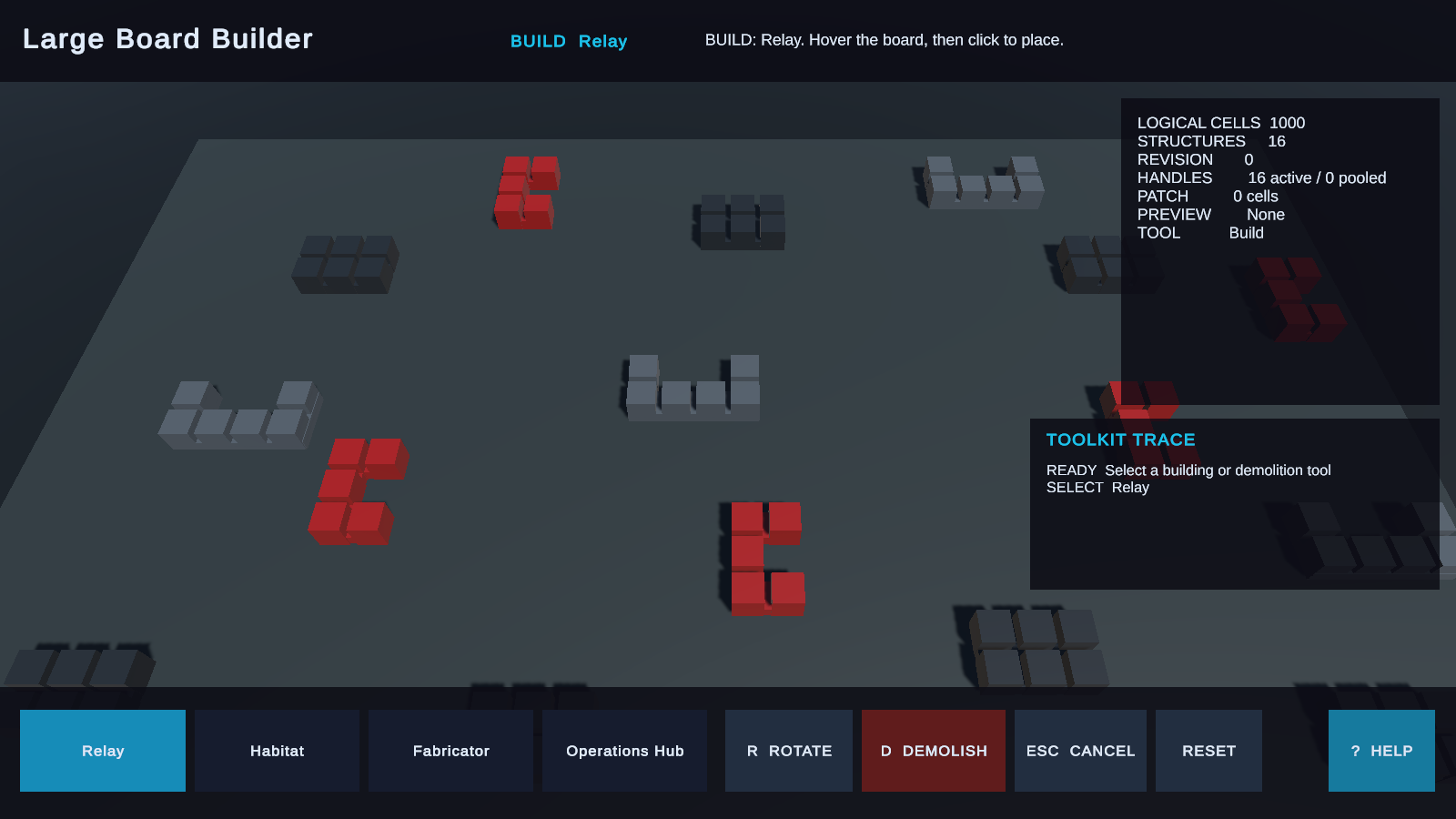
This scene shows that a logical board does not need one visible GameObject per cell. It uses a 1,000-cell square GridBoardState, precise hit resolution, and retained structure visuals for a building workflow.
Open and run
Menu path: Tools > Lost Lily > Grid Toolkit > Samples > Open > Large Board Builder.
Enter Play Mode. Press 1–4 to select a building, R to rotate, D for demolish mode, and Escape to cancel. Use WASD to pan, the mouse wheel to zoom, and Q/E to rotate the camera.
Try it
- Press 1 and place the first building on an open footprint.
- Press another number, rotate with R, and place a larger footprint.
- Pan, zoom, and rotate the camera while keeping the preview active.
- Try an overlapping or out-of-bounds placement and read the rejection.
- Press D, select a placed building to demolish, then press Escape.
Checkpoint
Valid clicks add structures; invalid previews do not mutate the board. Camera movement does not change logical coordinates or state. Demolish removes only the targeted structure. Reset restores the scene's starting board.
How it works
| Scene part | Public system | Responsibility |
|---|---|---|
| Invisible board | Square topology and state | Owns 1,000 logical cells without requiring visible cell nodes. |
| Placement palette | Project UI | Chooses a structure definition and mode. |
| Preview/apply | GridActionRunner | Validates footprints and occupancy. |
| World 3D surface | GridBoardView | Converts pointer rays into board coordinates. |
| Structure renderer | Retained visualization | Creates and removes visible building nodes after commits. |
Try another variation
In a duplicated scene, change a footprint, starting camera pose, or visible feedback while checking the same input sequence.
Troubleshooting
| Symptom | Fix |
|---|---|
| No preview appears. | Select a building with 1–4 and point at the board plane. |
| Camera moves but clicks miss. | Confirm the configured camera and World 3D hit surface references. |
Related
- Retained visualization
- Configure a World 2D or World 3D renderer
- GridBoardState
- GridActionRunner
- GridBoardView
Next sample
Continue with Extend Grid Toolkit with a cubic topology.