Build a module socket network
What this teaches
This scene models a capability network on top of ordinary structures. Cell Metadata identifies socket regions, a placement policy admits compatible footprints, and project gameplay distinguishes an installed module from an activated one. The board mutation still passes through GridActionRunner.
Open and run
Menu path: Tools > Lost Lily > Grid Toolkit > Samples > Open > Module Socket Board.
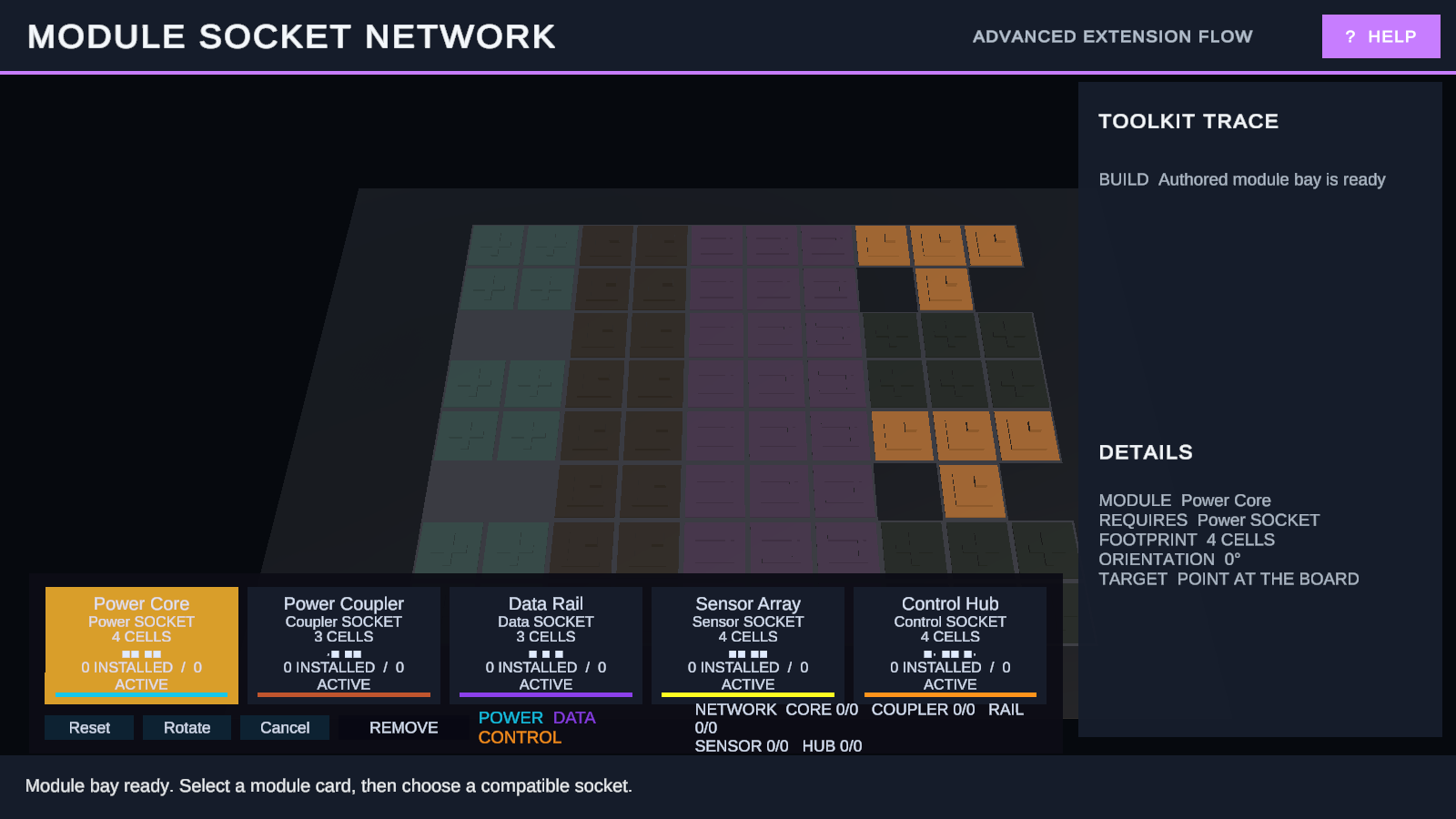
Enter Play Mode. Select a module card, hover a socket, and click a valid footprint to place. Select an installed module to remove it. Right-drag orbits the camera and the mouse wheel zooms.
Try it
- Select Power Core and place it in the cyan Power Core Bay.
- Place a Coupler and a Data Rail so the network can extend from the core.
- Add Sensor and Control modules to compatible regions.
- Add a duplicate module and compare installed and active counts.
- Remove the Power Core or Coupler and observe activation cascade without deleting every module.
Checkpoint
Only footprints compatible with the target region can be installed. A module may remain installed but become inactive when its required connection is removed. Reset clears the network and restores the original empty socket board.
How it works
| Scene part | Public system | Responsibility |
|---|---|---|
| Socket regions | Cell Metadata queries | Expose project-defined region IDs to admission rules. |
| Placement policy | Public policy contract | Accepts only compatible module footprints. |
| Module structures | Board structures | Own placement and occupancy; they do not own network meaning. |
| Capability graph | Project read model | Derives active connections from committed board state. |
| Board view | GridBoardView | Shows placements, regions, hits, and intents. |
Try another variation
In a duplicated scene, change a region ID, add another socket, or adjust a project capability rule.
Related
- Customize board data and rules
- Learn the extension pattern with Cell Metadata
- GridActionRunner
- GridBoardView
Next sample
Continue with Inspect complete snapshot restoration.